
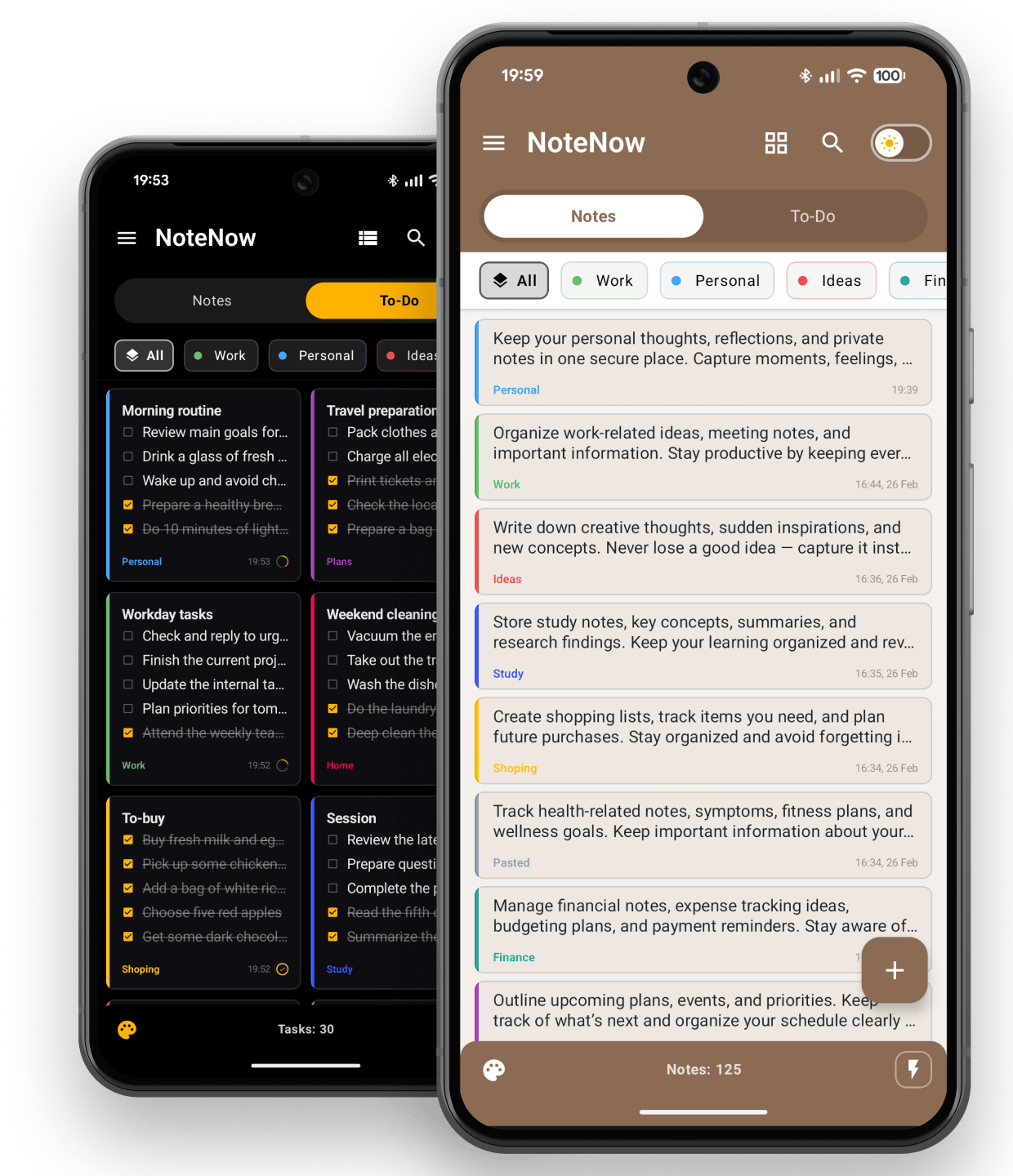
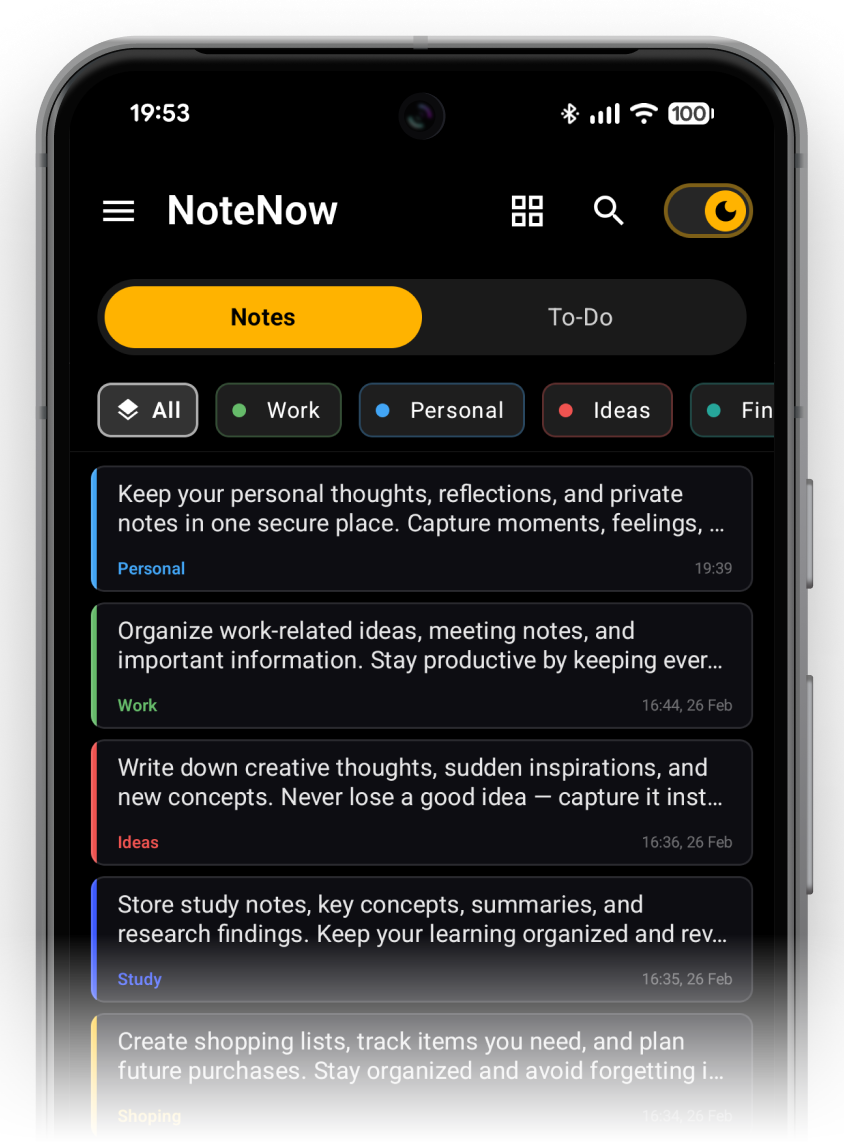
Separate deep notes from daily checklists with a single tap. Two dedicated spaces designed for different kinds of thinking.
Store everything from quick daily thoughts to long-term archives in one place, so nothing gets lost as your notebook grows.
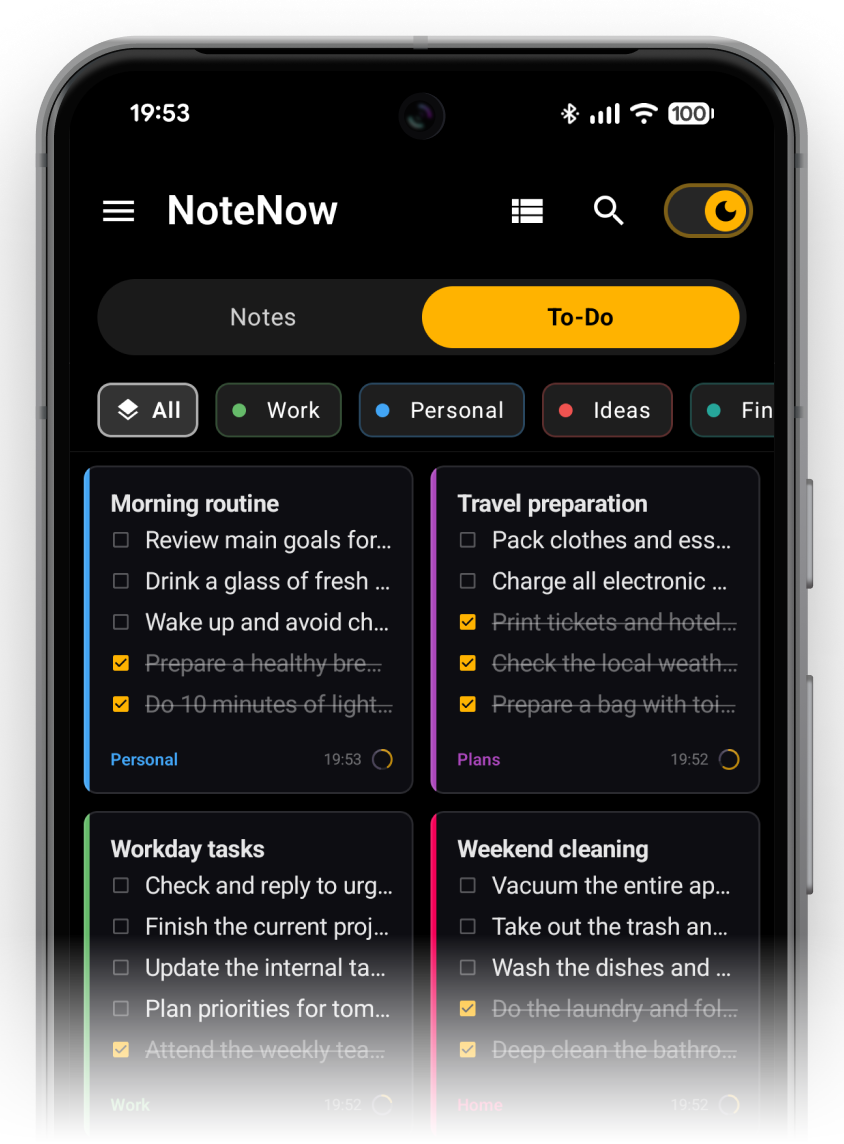
Keep track of your daily tasks, errands, and project steps in one place, so you always know what to tackle next.
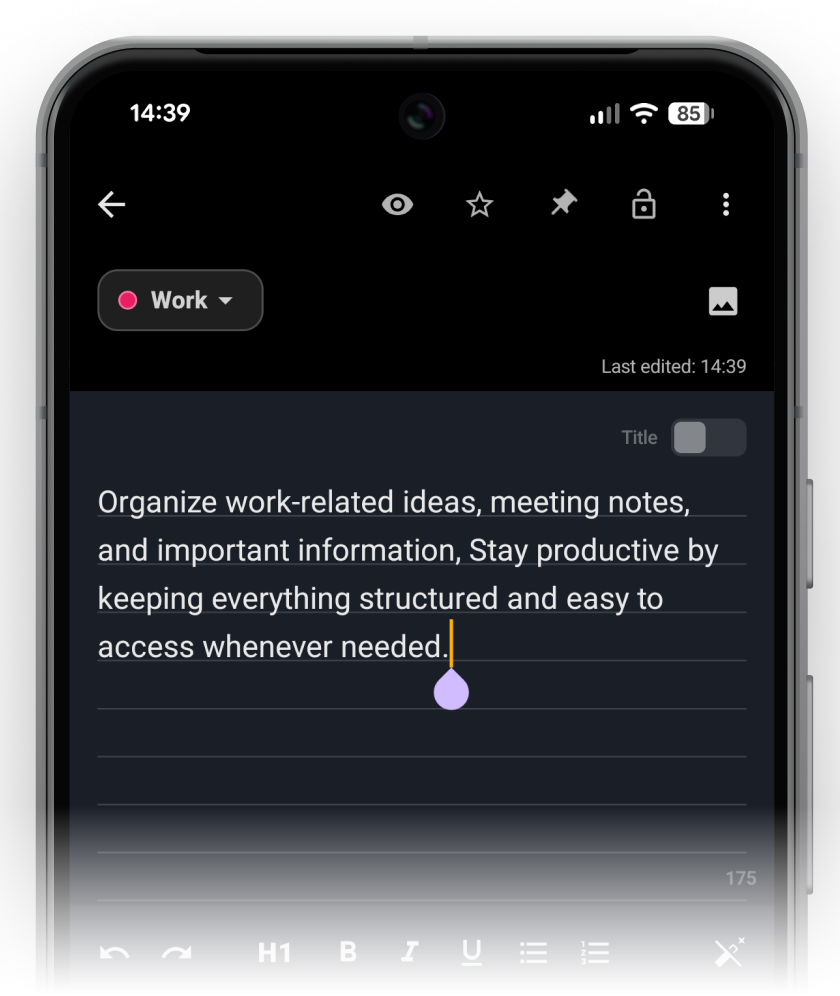
A distraction-free writing space built for tactile focus. Style text with fast Markdown shortcuts, toggle ruled notebook paper, and attach pictures without interrupting your flow.
H1 headers, bold, italic, underline, bullet lists, and numbered lists right above your keyboard.
Embed reference pictures, receipts, and whiteboard sketches directly into your note body.
Turn on ruled notebook lines for that genuine paper feel, or switch on a dedicated title field.
Step backward or forward through edits effortlessly. Never lose a sentence or accidental deletion.
Fast input, clear structure, and uncompromising privacy — designed for your daily flow.
Extract printed text directly from photos, book pages, and documents, or dictate thoughts hands-free on the go.
Capture ideas and track your daily tasks directly from your Android home screen without opening the app.
Export clean, formatted documents ready for sharing, printing, or archiving outside the app.
Protect your sensitive notes and private lists from prying eyes with a personal Master Password code.
Create secure offline snapshots of your workspace. If a Master Password is set, notes and photos are automatically encrypted.
Keep your workspace in sync across devices while maintaining total control over your data.
Yes. You get 7 full days of unrestricted access to every PRO feature — camera OCR text scanning, master password protection, PDF export, notebook lines, and cloud backup. No credit card is required, and there are zero automatic charges. If you love it, unlock the lifetime license with a single one-time payment. If not, continue using the generous free tier forever.
NoteNow is 100% offline-first: all your notes, to-do lists, categories, and media are stored locally on your device in fast, private storage. You never need an internet connection or an account. If you want cross-device backup and sync, NoteNow offers seamless, optional Google Cloud Sync tied securely to your personal Google account.
NoteNow provides multiple instant-capture channels: paste directly from your clipboard with a single tap, dictate thoughts using hands-free voice-to-text, or scan printed text using fast on-device camera OCR (optimized for Latin script). Because recognition runs entirely on your phone, your photos and documents are never uploaded to external servers. You can also place Quick Capture, Note, or To-Do widgets on your Android home screen to jot down ideas without even opening the app.
Your privacy is paramount. You can set a Master Password to lock individual notes containing sensitive information, ideas, or personal data. When you hand your phone to someone, your private locked notes remain securely protected and can only be opened with your password. In addition, setting a Master Password automatically enables AES encryption for all your offline backup archives, including attached photos.
Yes. You can export any note — or bulk export multiple notes — into beautifully formatted multi-page PDF documents with timestamps and checklists intact. When switching to a new Android device, simply create an encrypted backup in NoteNow, move the backup file, and restore everything in seconds.
Download NoteNow and enjoy 7 days of full, unrestricted PRO access. Test Markdown formatting, camera OCR scanning, Master Password protection, and PDF export without spending a dime. No credit card required, zero hidden traps.